Viewer Node
The Viewer Node is a simple 2D image viewer and is the primary way to preview your flow output.
There are a few configuration settings across the top of the viewer window.
You can configure the aspect ratio to be locked to width or height or be free.
Aspect Ratio
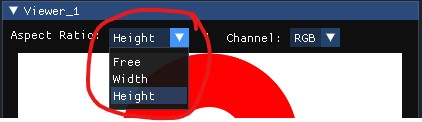
When locked to Height the viewer can only be resized by changing the height of the window, the width will be automatically adjusted as the window is resized.
Same thing when locking to Width by adjusting the width of the window the height will be automatically adjusted.
If using the corner resize then the window will snap to the new width or height once the mouse is released.
Free mode will allow you to resize the window to any arbitrary size with no regard to the original input image aspect ratio.
Channel Select
You can select which channel(s) of the input image to preview
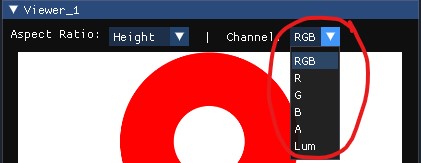
If the image type is Grayscale then the channel selections will have no effect.
Inspect
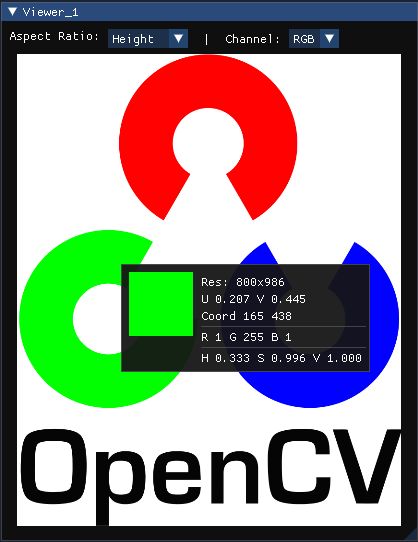
You can inspect image details by holding the CTRL key down while hovering the mouse over the viewer window:
Color Map
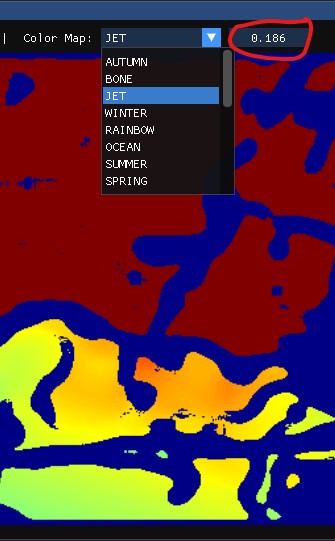
If the input image type is 16-bit or floating point then it will automatically have a colormap applied which you can adjust from the colormap options that will appear:
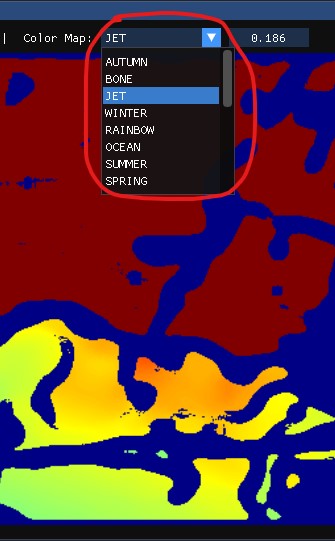
You can scale the map range across the image data by adjusting the scale: